Manual
Club registration
You create the club yourself, with no waiting for approval. The free plan includes 1 sport, 2 teams, and 40 members. The person who submits the form becomes the first administrator. The screenshots show the English interface. If the site is set to Slovak, the same fields and buttons appear in Slovak.
1. Open the registration form
On the home page, click the green Create a club for FREE button. It appears in two places: at the right of the header, and in the hero block under the headline.
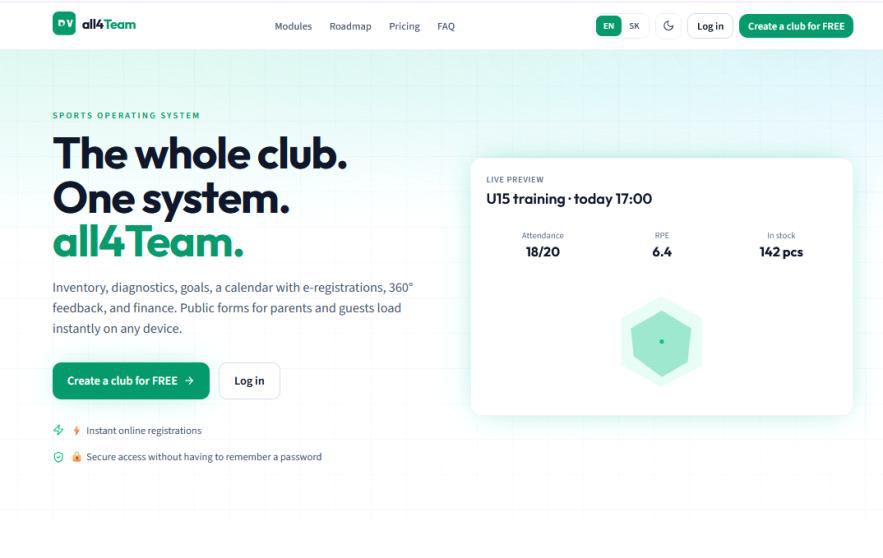
- The header also has Modules, Roadmap, Pricing, and FAQ, the EN/SK language switch, the light and dark mode switch, and Log in.
- Log in is for people who already have an account. A new club starts with Create a club for FREE.
- The click opens a dialog. The form does not load as a separate page.
- Under the hero text there are two more lines: instant online registrations, and secure access without having to remember a password. Those describe the parent portal, not this registration form.
2. Fill in the organization, sport, and founder account
The dialog is titled Create a club for FREE and says Free plan: 1 sport, 2 teams, 40 members. The details are in three blocks. The cross at the top right closes the dialog without saving.
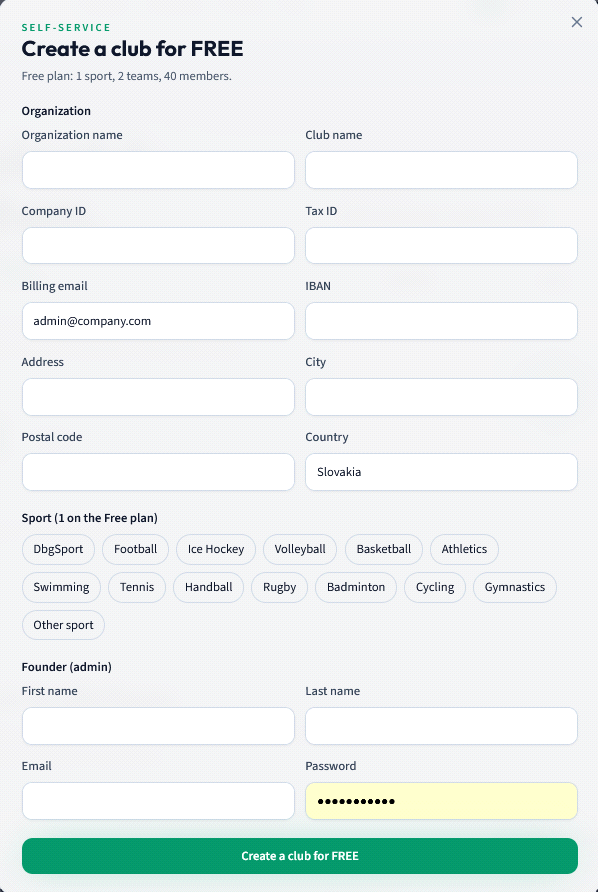
- Organization name is the legal name of the entity, for example a civic association.
- Club name is the name you will see inside the app. It can be shorter than the legal name.
- Company ID is the organization identification number. Tax ID is the tax number and is optional.
- Billing email is the address used for invoices. The screenshot only shows the sample admin@company.com.
- IBAN is the club bank account. Address, City, and Postal code describe the registered office. They are optional, but it is worth filling them in now.
- Country is prefilled with Slovakia. You can overwrite it.
- Sport (1 on the Free plan) — on the free plan you choose exactly one sport. The selected chip gets a green outline. The screenshot shows DbgSport, Football, Ice Hockey, Volleyball, Basketball, Athletics, Swimming, Tennis, Handball, Rugby, Badminton, Cycling, Gymnastics, and Other sport. In Slovak those names are translated, for example Futbal, Hokej, or Volejbal.
- Founder (admin) is the first administrator: First name, Last name, Email, and Password (at least 8 characters). The sign-in email can differ from the billing email. The password is masked while you type, and the field is highlighted.
- The green Create a club for FREE button at the bottom of the dialog submits the form.
3. Review the details and submit the form
Check the fields once more before you submit. The values in the screenshot are only an example. Do not copy them into your club.
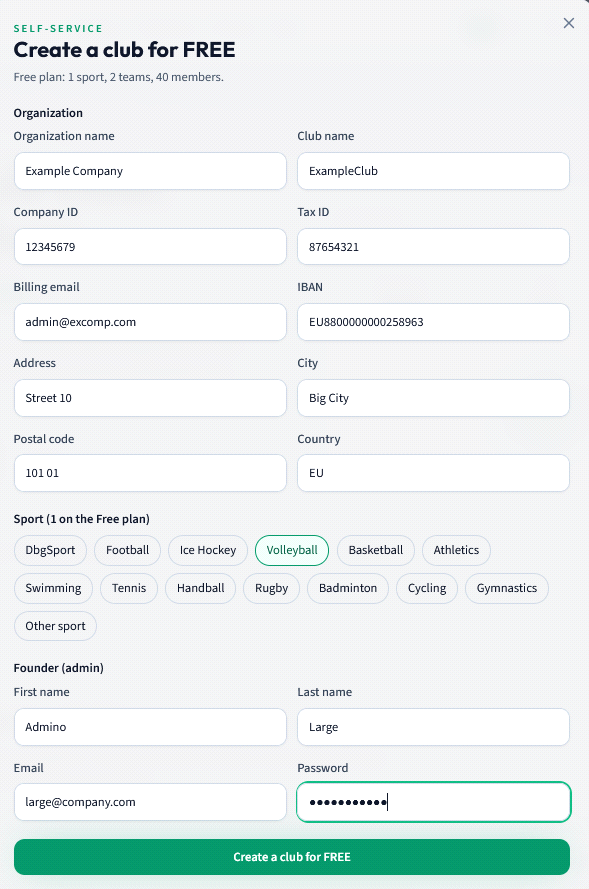
- The organization is Example Company, the club is ExampleClub, the company ID is 12345679, and the tax ID is 87654321.
- The billing email is admin@excomp.com. The IBAN starts with EU88. The address is Street 10, the city is Big City, and the postal code is 101 01.
- The selected sport is Volleyball. That chip has a green outline; the other sports stay grey.
- The founder is Admino Large and the sign-in email is large@company.com. The password stays hidden as dots.
- Submission happens only through the Create a club for FREE button at the bottom. Until you press it, the club is not created.
4. The club has been created
After a successful submit, the form is replaced by the notice The club is ready.
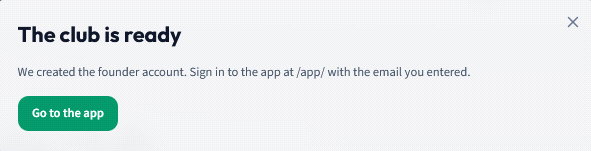
- The text says the founder account was created. You sign in to the app at /app/ with the email you entered for the founder.
- The green Go to the app button takes you straight to sign-in. That is the shortest path.
- The cross only closes the notice. The club already exists. You can also reach sign-in through Log in in the site header.
5. Sign in to the app
The Sign in screen is the entrance to the club app. Under the heading it says Manage your club, teams and members in one place.
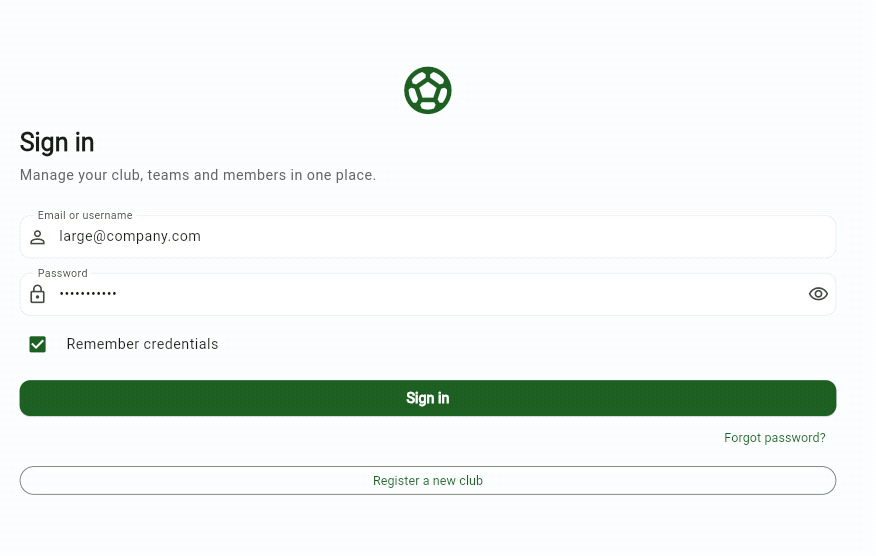
- Email or username — enter the founder email from registration. The screenshot shows large@company.com, the sample sign-in email, not the billing email.
- Password — the password from registration. The eye icon on the right reveals it for a moment.
- Remember credentials keeps the sign-in stored in this browser. On a shared computer, leave the box unchecked.
- The Sign in button submits the login.
- Forgot password? is for recovering the password when you do not know it.
- Register a new club takes you back to creating another club. You do not need it to enter the club you just created.