Manual
Managing and creating a new season
The Seasons section in club settings is where you plan and run sports seasons for each sport in the club. A season moves through Planned, then Transfer period, then Active, and finally Archived. The screenshots show the English interface of the sample club Demo Club. If the app is set to Slovak or German, the same fields and buttons appear in that language. The values on the screenshots are only an example.
1. Season overview
When the club has no season yet, the page shows an empty overview. You create a season with the + New season button.
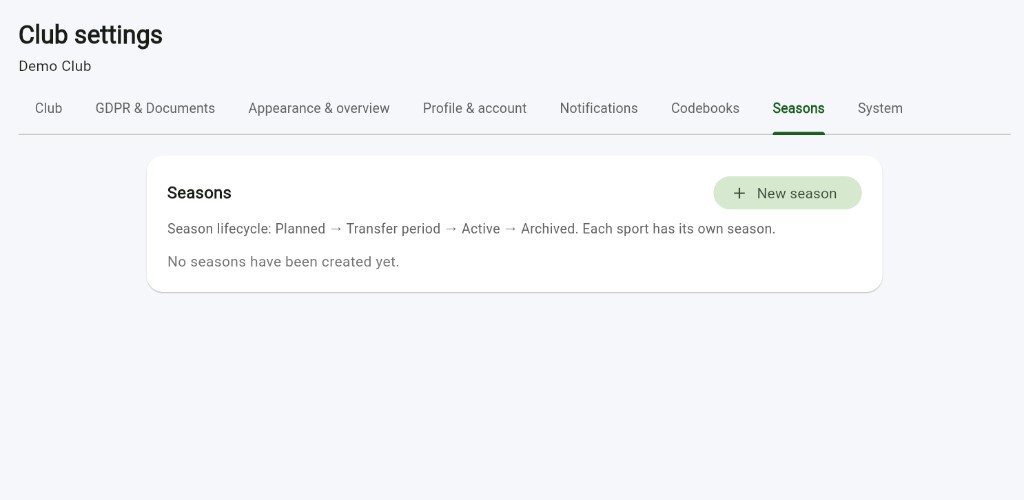
- Seasons is a tab in Club settings. The page title is Club settings, and the club under it on the screenshot is Demo Club.
- The card says Season lifecycle: Planned → Transfer period → Active → Archived. Each sport has its own season.
- The + New season button opens the form for a new season.
- No seasons have been created yet is the empty state.
2. Create a new season
Clicking + New season opens the New season form. Create saves the season. Cancel closes the form without saving.
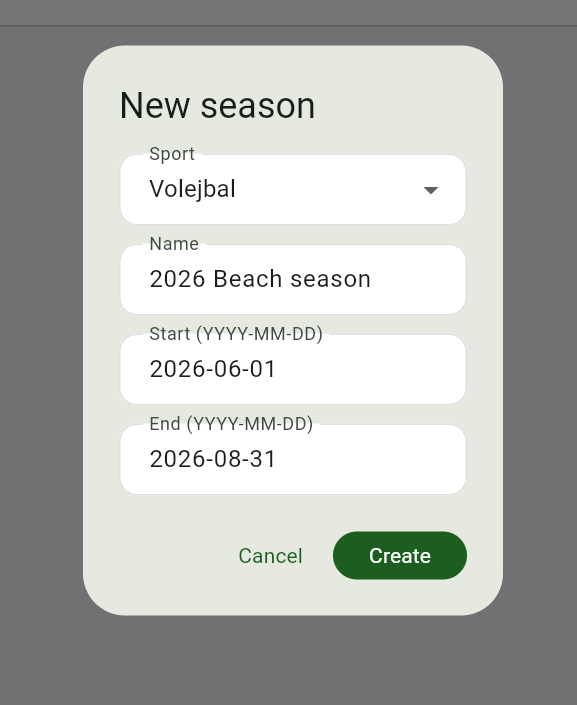
- Sport — choose the sport from the dropdown. The season belongs to that sport. The screenshot shows Volejbal, which is Volleyball.
- Name — the season name. The screenshot shows 2026 Beach season.
- Start (YYYY-MM-DD) — the start date. The screenshot shows 2026-06-01.
- End (YYYY-MM-DD) — the end date. The screenshot shows 2026-08-31.
- The green Create button saves the season.
3. The active season and closing it
After you create it, the season appears in the list with a green Active badge, or with the badge of its current state. The name and the date range are shown next to it.
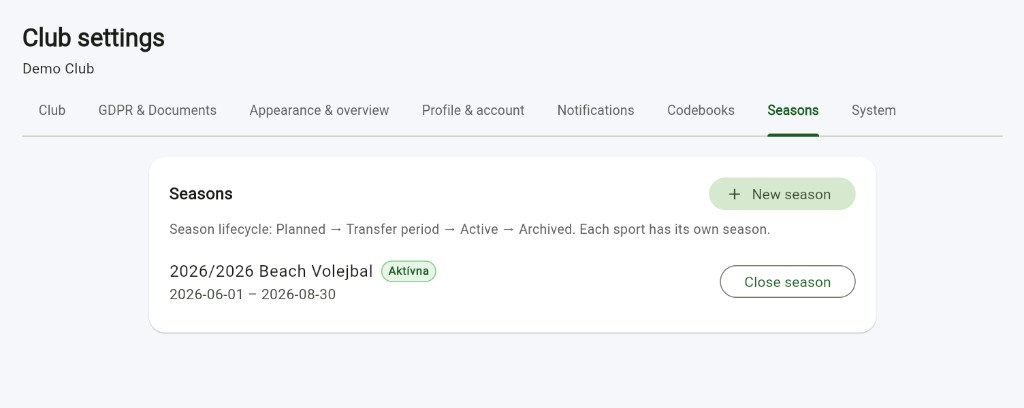
- The screenshot shows 2026/2026 Beach Volejbal with the green badge Aktívna, which means Active.
- Under the name is the date range, 2026-06-01 – 2026-08-30.
- Close season closes the season when you no longer need it open.
- + New season stays at the top right, so you can add another season. Each sport has its own season.